Do Ring video doorbells work without a subscription?
Does your Ring Video Doorbell need a paid Ring Protect subscription, or does it work without?
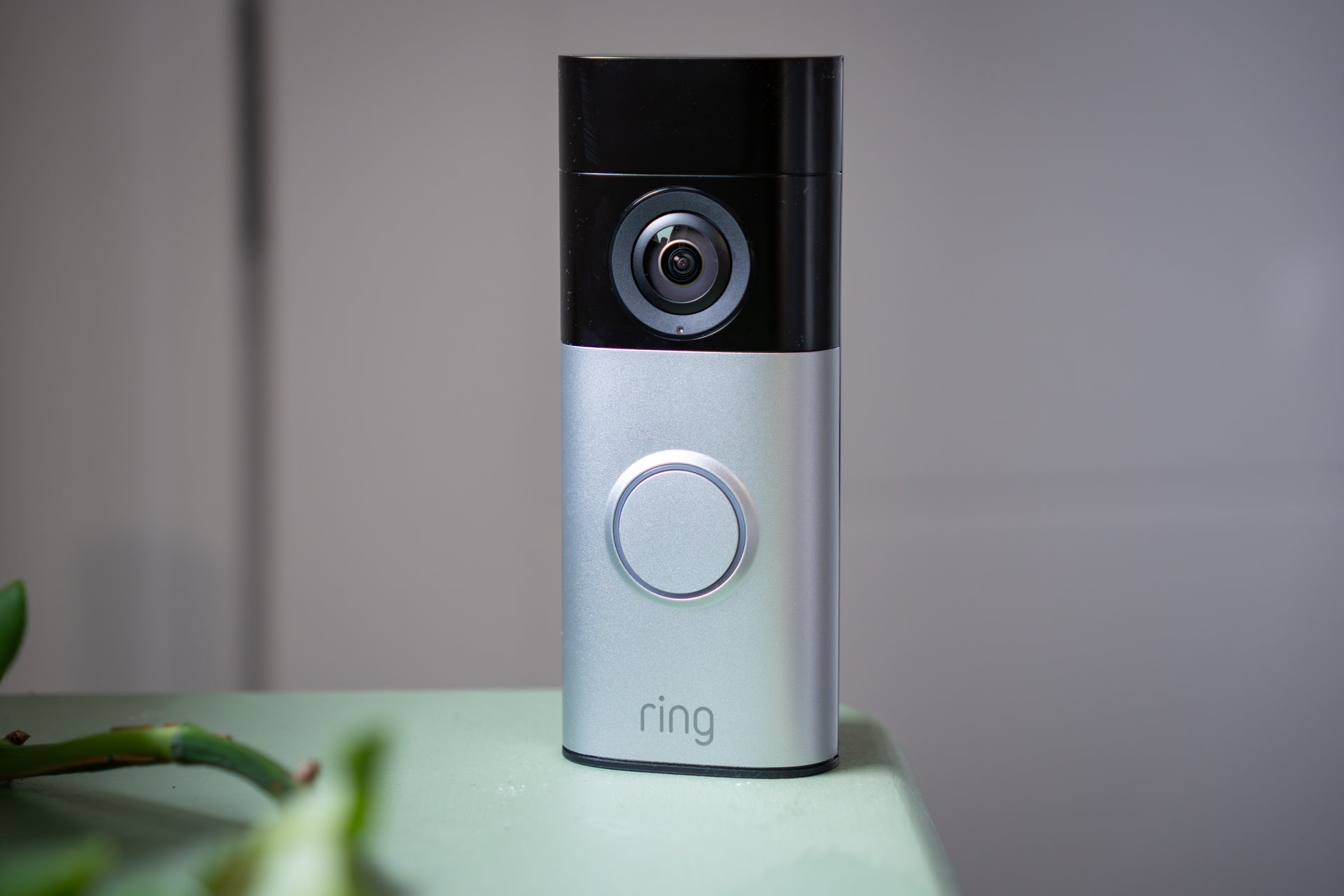
Ring is arguably the most popular brand of video doorbell. Owned by Amazon, it produces a wide range of doorbells that double as intercoms and security cameras, plus dedicated security cameras, and enough accessories like motion sensors and sirens to build your own home security system.
But to get full functionality from Ring products, including its video doorbells, you need to pay a monthly or annual subscription. Called Ring Protect, the service is required if you want to save videos recorded by your doorbell. Without Ring Protect, the doorbell will still alert you via the Ring smartphone app when its button is pressed, or when nearby motion is detected – and you can then speak to visitors through a two-way video call. But nothing is saved.
This is because Ring video doorbells have no internal storage. Instead, the subscription service lets them upload footage to the cloud, where it’s available to stream or download to your smartphone, tablet or other devices. Paying for Ring Protect also unlocks other features, including package detection – which alerts you when the doorbell spots a delivery left on the doorstep – and the ability to use several Ring devices at once.
 Best home security system for 2026: Top alarms tried and tested by an expert
 The new Eufy Smart Display E10 is the perfect home security companion, with one big catch
 13 best video doorbells, tried and tested by a home security expert
 The rise of ‘porch pirates’: How to stop them stealing your parcels (and get a refund if they do)
Is Ring the right video doorbell for you, and should you pay the subscription to unlock full functionality? What if you buy a Ring doorbell and opt not to pay the ongoing fee? Should you consider an alternative that saves video locally for free? Read on to find out.
Do Ring products work without a subscription?
New Ring products, like its video doorbells, come with a free 30-day trial of Ring Home. This lets you use the products to their full potential for a month – then you can decide whether you want to cancel Ring Protect or start paying for a subscription.
Without Ring Protect, you can still answer alerts and view live video. So, when a visitor presses the doorbell button you will be alerted via the Ring smartphone app and can open a live, two-way video call. Similarly, you can open the app at any time and view live video from the doorbell camera – and this works with Ring security cameras, too.
This could be enough functionality for some Ring customers, since the product still sends an alert and connects them to visitors. In the case of a Ring camera, you can still get a live view after motion is detected. But without the subscription, Ring products cannot be used to record footage for viewing (or downloading) later.
How much does a Ring Protect subscription cost?
Ring has been criticised for upping its prices in the last few years, with the most recent increase of over 40 per cent happening in March 2024.
There are three tiers of Ring Protect. At the time of writing in early 2026, Ring Solo costs £4.99 a month or £49.99 a year. Ring Multi costs £7.99 per month or £79.99 per year, and AI Pro costs £15.99 a month or £159.99 annually.
Solo, Multi and AI Pro: The three tiers of Ring Protect subscription explained
As of early-2026, there are three tiers of Ring Protect subscription. The cheapest is called Ring Solo and can only be used with one video doorbell or Ring security camera. Next is Ring Multi, which lets you use multiple Ring devices, and the top tier is called AI Pro. This adds a suite of artificial intelligence-powered features, like smarter alerts and video descriptions.
Ring Solo
A subscription to the Solo tier unlocks cloud storage. Video recordings are stored for 180 days before being deleted, and during that time you can view and download them for safekeeping.
This tier also unlocks person and package detection, where the camera distinguishes between types of objects and movement; if a courier leaves a parcel on your doorstep, the doorbell will tell you through the Ring app. The tier also adds video clips to the notifications sent to your phone, so you can see what’s happening even before you open the app. Lastly, Ring Solo creates a daily summary of everything your camera or doorbell has recorded, helping you see key moments quickly.


Ring Multi
This tier is nice and simple – it includes everything from Ring Solo, but lets you use as many Ring cameras and doorbells as you like at the same property. For both the Solo and Multi tiers you can add 24/7 recording for an extra £3 per month, per device.
AI Pro
AI Pro has every feature of the Multi tier, plus a handful of new AI-powered features. These include a tool that creates written descriptions of videos to help you understand their content more quickly, and one that combines several instances of similar motion into one, so you don’t get bombarded by alerts when there’s a lot happening at once. There’s also an AI-enhanced search tool to help find the specific clip you’re looking for.
What are alternative video doorbells without subscriptions?
Companies like Tapo, Arlo, Swann and Eufy all make video doorbells that function without a subscription. Crucially, these have local storage, so footage is recorded and saved to the doorbell itself (or to a hub located elsewhere in your home), side-stepping the need for costly cloud storage. Most of these doorbells offer cloud storage as an option, but unlike Ring they can also be used to save video locally and for free.
Is Ring subscription worth paying for?
If you want your Ring doorbell to save video, then yes. It’s also worth it if you pay the extra £3 a month for continuous, 24/7 recording, if that’s also something you need from your home security system. But if you're happy to try a different company, then you might find a doorbell with free local storage and no need for a subscription fee works better for you.
Join our commenting forum
Join thought-provoking conversations, follow other Independent readers and see their replies
Comments
Bookmark popover
Removed from bookmarks