The Independent's journalism is supported by our readers. When you purchase through links on our site, we may earn commission. Why trust us?
Best VPNs for 2026: 9 top picks tested by a tech expert
From NordVPN to Surfshark, I’ve found the best VPNs after months of testing
- 1
 2
2
- 3
 4
4
- 5
 6
6
- 7
 8
8
- 9

It’s the wild west out there when it comes to picking a VPN. There are hundreds of providers, and none of them are made equal, which makes it hard to know who to trust. That’s not helped by the myriad warnings about fake VPN apps being used by cybercriminals to spy on users or drain their accounts. Choosing something trustworthy matters more than ever before, and that’s why I’ve made it my mission to find the best VPNs that you can actually rely on.
People use VPNs for all sorts of reasons. In a 2026 survey conducted by The Independent, privacy and security emerged as the prime motivator, alongside reducing online tracking and securing connections on public wifi. Six in ten respondents also said security was their top priority when it came to choosing a VPN, followed by reliability and price.
They become especially useful when you’re on the move. “I use a VPN overseas to access websites as a UK travel editor, which makes it easier to get reliable English-language search results, including finding places to eat in a city,” says The Independent’s deputy travel editor Sophie Dickinson. She adds that a VPN also provides “extra protection when working on the move, especially when using airport or public wifi networks”. In The Independent’s survey, travel use ranked just behind privacy and security.
Whatever your reason for using a VPN, choosing the right one is a challenge in itself. Prices can vary wildly, some are missing critical features, and not every provider can be trusted to handle your data responsibly. To help you find the best VPN for your needs in 2026, I’ve tested dozens to bring you only the most reliable services for every need and device, whether you’re looking for a budget VPN, or one that will work well on iOS, Fire Stick or PC.
The best VPN services in 2026 are:
- Best overall – NordVPN: From £2.59 per month, Nordvpn.com
- Best cheap VPN – Surfshark: From £1.49 per month, Surfshark.com
- Best for privacy – Proton VPN: From £2.39 per month, Protonvpn.com
- Best for streaming – ExpressVPN: From £3.98 per month, Expressvpn.com
Read more: These are the best cheap VPNs, starting from just 5p a day
How I tested
I’m constantly putting VPNs to the test across a range of devices, including an iPhone 15 Pro Max, a Motorola Moto 50 Android phone, a MacBook Air M3, a Fire TV Stick and an Asus Windows laptop.
My main goal is to assess how they perform in real-world scenarios, analysing everything from speed and stability, security tools, user experience, customer support, streaming support, pricing and renewals. My full testing methodology is detailed at the bottom of the article, and I’ve written a guide that explains how we test VPNs at The Independent in more detail.
Read more: These are the best VPNs for Fire TV Stick
1NordVPN
- Best VPN overall
- Number of servers 8,900
- Number of server countries 129
- Number of simultaneous devices supported Up to 10
- Devices supported Windows, Mac OS, Linux, iOS, Android, Fire TV and more
- Why we love it
- NordLynx is fast and reliable
- Strong security credentials
- Excellent set of features, such as Double VPN
- Unblocked UK streaming services
- Take note
- OpenVPN speeds could be improved
- Auto-renewal is a little shady
If you’re after a VPN that ticks all the boxes, NordVPN is my top pick. It’s fast, widely compatible, private and packed with features that genuinely justify the price, making it the best all-round VPN for most people and devices.
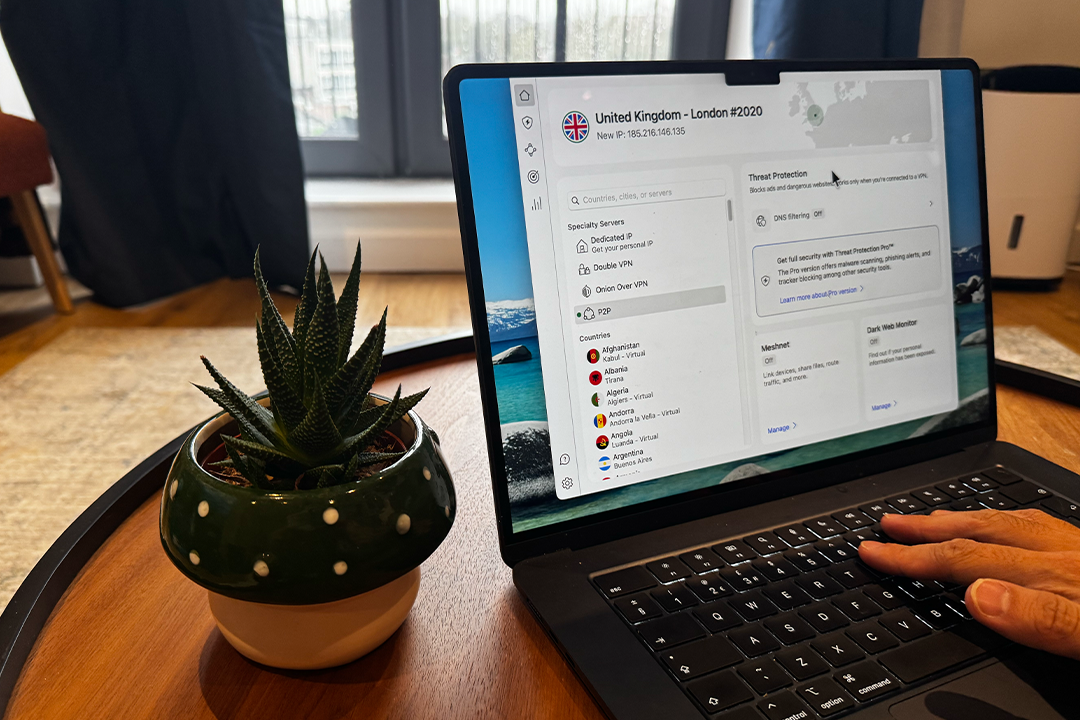
In late 2025, NordVPN rolled out a refreshed set of desktop apps that ditch the old map-based interface for something much more streamlined and user-friendly. The Windows app now matches the cleaner dashboard layout first introduced on macOS, with servers clearly listed on the left and extra security tools easy to access on the right. It’s a whole lot less clunky, and I’ve been enjoying using the service far more since the update.

NordVPN offers one of the largest server networks among the VPN providers I’ve tested, with around 8,900 servers across more than 127 countries. In January 2026, it expanded its virtual location network to around 79 locations, adding coverage in harder-to-serve regions such as Afghanistan, Bhutan, Papua New Guinea and parts of west Africa, with traffic routed through nearby physical servers to maintain speed and reliability.
You can connect up to 10 devices at the same time, covering everything from phones and laptops to tablets, smart TVs and Fire TV Sticks. It’s ideal for juggling multiple devices while travelling, and generous enough for households with lots of tech.
It’s no slouch when it comes to speed, either. NordVPN uses its own NordLynx protocol, built on WireGuard, and in my testing on a 67 Mbps fibre broadband connection, speeds barely dip. Using the recommended UK server, I generally see around a four per cent drop in download speeds, while US servers are only about six per cent slower. That’s impressively fast, and I’ve had no issues streaming BBC iPlayer or Channel 4. OpenVPN connections are noticeably slower by comparison, so I mostly stick with NordLynx.
On the security side, all the essentials are covered – AES-256 encryption, an automatic kill switch and split tunnelling – but NordVPN goes further than most. Double VPN routes your traffic through two servers instead of one, and you can also combine a VPN server with the Onion network, meaning you don’t need to use The Onion Router separately. This hides your use of the Onion network from your ISP and encrypts traffic before it enters the network.
MeshNet is still part of the package, too, letting you create encrypted connections between your own devices for private file sharing or remote access. The only thing I don’t like too much are the upsells – NordVPN places things like its Dedicated IP on the home screen to encourage you to buy, as well as adds a products page, with extra subscriptions to services like Incogni.
For the full cybersecurity suite, you’ll need to pay a bit more. The basic plan includes a lighter version of Threat Protection, which blocks phishing and malicious links, while NordVPN Plus and Ultimate unlock Threat Protection Pro, a password manager, encrypted cloud storage and cyber insurance. NordVPN also introduced NordProtect, an identity theft protection tool that scans the dark web, marketplaces and forums for exposed personal data.
Crucially, NordVPN backs up its privacy claims. In late 2025, it passed its sixth independent no-logs audit, conducted by Deloitte, which assessed its entire infrastructure. The audit confirmed that NordVPN does not store user-identifying data, including IP addresses or timestamps, across its core VPN service as well as Double VPN, Onion over VPN and obfuscated servers.
Pricing is competitive if you’re willing to commit. NordVPN’s best value still comes from its longer-term plans, with its 24-month subscription effectively working out at around £2.59 per month at the time of writing. There’s also a 30-day money-back guarantee if you want to try it risk-free, although it’s worth keeping an eye on renewal pricing – I’ve seen users caught out by auto-renewal before. It’s not the cheapest VPN around, but for speed, features and peace of mind, it remains the one to beat.
2Surfshark

- Best cheap VPN
- Number of servers More than 4,500
- Number of server countries More than 100
- Number of simultaneous devices supported Unlimited
- Devices supported Windows, Mac OS, Linux, iOS, Android, Fire TV and more
- Why we love it
- Great value for money
- Fast and reliable
- Great user interface
- MultiHop feature is a nice addition
- Unlimited device support
- Take note
- CleanWeb needs work
If NordVPN is a bit too expensive, Surfshark is the best value VPN I recommend. Owned by Nord Security but run independently, it delivers many of the same core strengths for a noticeably lower price, without cutting corners on speed or security.
One of the best things about Surfshark is its unlimited device connections. A rarity for VPNs, everything from phones and laptops to tablets, smart TVs and streaming sticks can all stay connected at once. For households with lots of devices, you won’t have to think about swapping devices.
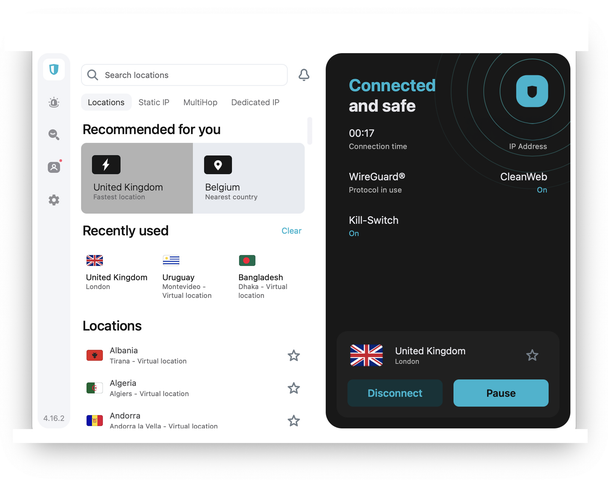
I also like how clean and approachable Surfshark’s apps are. The interface is simple, and the server list is easy to scan, with quick-connect and recommended locations right where you expect them to be. Surfshark’s network of servers has also grown a lot over the past year, and it now has around 4,500 servers across 100 countries. It’s not quite as vast as NordVPN’s, but I’ve never struggled to find a fast or reliable server.
Surfshark used to lag behind on iOS, which always annoyed me slightly, but that’s no longer the case. Split tunnelling finally arrived on iPhone and iPad in late 2024, and since then the experience across Apple, Android and desktop apps has felt much more consistent. I now have far more control over which apps use the VPN and which don’t, regardless of device.
Surfshark has also improved its browser extension. In February 2026, it introduced a feature that flags potentially dangerous or scammy websites while you’re browsing, and late last year, it brought its Dedicated IP to the browser extension.
Speed is no longer a question mark, either. In my most recent round of testing, Surfshark was one of the fastest VPNs. On UK servers using WireGuard, download speeds dropped by around five per cent, while even long-distance connections were usually only around 10 to 11 per cent slower. Streaming BBC iPlayer, Disney+ and Channel 4 has been smooth for me as well, with no buffering or drops in quality.
I also found OpenVPN far more usable than it used to be. It’s now stable enough that I don’t automatically avoid it, and it’s especially handy when I want to enable Camouflage Mode, which basically disguises VPN traffic to make it harder for networks to detect that you’re using a VPN at all.
In terms of privacy and security, Surfshark covers all the essentials. It uses AES-256 encryption, includes a kill switch and supports split tunnelling, while MultiHop routes traffic through two servers instead of one for extra protection. Last year, Surfshark also introduced features to make its service more stable. FastTrack, for example, optimises routing to improve speeds, particularly on longer-distance connections, while Everlink helps maintain a secure connection if your network briefly drops, instead of forcing a full reconnect.
It’s also nice to see it’s taking future-proofing seriously. In January 2026, Surfshark started rolling out post-quantum encryption support for some apps, including Android, macOS and Linux, which should make it more secure in the years ahead.
Surfshark’s built-in blocker CleanWeb remains the main drawback for me. It does a reasonable job with trackers, phishing attempts and malicious sites, but ad blocking is still hit and miss on a lot of websites. I’d still recommend getting a dedicated ad blocker.
Like most big VPN providers, Surfshark wants to be more than just a VPN. Its plan structure has expanded, with cheaper starter plans focused on just the VPN itself, while Surfshark One adds antivirus, breach alerts and private search tools, an. The Surfshark One+ tier brings onboard features like identity protection and enhanced email security, including AI-powered scam detection. I don’t think everyone needs the full bundle, but it’s there if you want everything under one subscription.
Surfshark has several no-logs audits under its belt as well. Its no-logs policy was last independently audited in 2025, confirming that it doesn’t store activity or connection data that could be used to identify users. It’s not audited as frequently as NordVPN, but it’s still independently verified rather than relying on a vague terms of service.
But the main reason why I recommend Surfshark? The cheap price. Its longer-term plans work out at around £1.49 per month depending on the tier you choose, and there’s a 30-day money-back guarantee if you sign up via the website. Mobile users can also try it with a seven-day free trial through the App Store or Google Play. It’s fast, flexible and really good value, and remains my go-to if you want a cheaper alternative to NordVPN.
3Proton VPN

- Best VPN for security
- Number of servers 15,000+
- Number of server countries 120
- Number of simultaneous devices supported 10
- Devices supported Windows, Mac OS, Linux, iOS, Android, Fire TV and more
- Why we love it
- Fast and secure
- Good access to streaming services
- Backs up its security credentials with third-party audits
- Take note
- UI is a bit messy
- Secure Core isn't as customisable as other providers
Proton is one of the few VPN companies I actually trust when it comes to privacy, and its VPN service is the pinnacle of that. Everything it does is built around transparency and security first. Its no-logs policy was independently audited for the fourth time in late 2025, and all of its apps are open-source, which means anyone can inspect the code – a rarity for VPN providers.
While Proton VPN’s free tier remains one of the best free VPN options around, it’s designed more as a taster than a replacement for a full-fat VPN. You get unlimited data and the same strong privacy protections as paid users, but you’re limited to a small number of servers in around 10 countries, speeds are noticeably slower as well, and streaming services don’t work. What you do get is peace of mind that you’re using a fully audited, no-logs VPN.
To get the full experience, you really need Proton VPN Plus. It adds on split tunnelling, support for up to 10 devices at once, and access to its full server network, which has grown substantially over the past year. Proton VPN now operates well over 15,000 high-speed servers in more than 120 countries, giving you plenty of choice. Plus users also get NetShield, Proton’s built-in ad, tracker and malware blocker, which is still the most effective VPN-level blocker I’ve tested.
Proton’s always offered a super speedy service, and that’s the same in 2026. Using WireGuard with its VPN Accelerator feature enabled, I’ve found speeds to be right up there with NordVPN. In my testing, UK connections only dropped by around four per cent, and I’ve had no trouble accessing BBC iPlayer, ITVX and Channel 4 on paid servers. The VPN Accelerator is a really cool little feature, and makes a noticeable difference on servers further away.
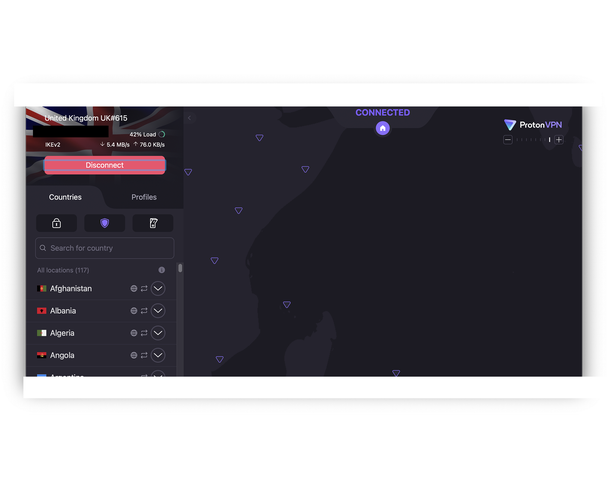
The apps themselves are better than they used to be, though they’re still not the slickest. In early 2025, Proton VPN gave its interface a glow-up and added custom connection profiles on its desktop and mobile apps. It can all still feel a little technical than rivals like NordVPN or Surfshark. Once you get used to the layout though, it’s easy to navigate, and the advanced features are nice to have front and centre for those who want it.
Like NordVPN and Surfshark, Proton VPN offers a multi-hop feature, though it’s less flexible – you can’t pick your own server pairing for instance. Instead, Proton’s Secure Core feature routes your traffic through privacy-friendly countries such as Switzerland or Iceland before it leaves the Proton VPN network, which adds an extra layer of protection. Proton is also phasing out older manual OpenVPN configurations by the end of February 2026 in favour of more secure defaults. You shouldn’t need to worry about this unless you have a custom router or a third-party set-up.
Proton VPN has also become much better value than it used to be. Its two-year VPN Plus plan now works out at around £2.39 per month, and while that discounted rate applies to the first term only, when it does auto-renew, Proton VPN Plus will only cost you £7.99 per month, which is still cheaper than the standard monthly rates charged by NordVPN, Surfshark and ExpressVPN. Even if you only want a one-month plan, Proton’s pricing is more reasonable than most rivals, handy if you don’t want to commit for a long contract.
For those wanting the full Proton experience, you can upgrade to Proton Unlimited for £6.39 per month if you opt for the two-year plan. It bundles Proton Mail, Proton Calendar, Proton Drive, Proton Pass and ProtonVPN into one comprehensive privacy suite. Both Plus and Unlimited subscriptions come with a 30-day money-back guarantee, giving you time to decide if it’s the right fit.
4ExpressVPN

- Best VPN for streaming
- Number of servers 3,000+
- Number of server countries 105
- Number of simultaneous devices supported 8
- Devices supported Windows, Mac OS, Linux, iOS, Android, Fire TV and more
- Why we love it
- Cybersecurity features are improving fast
- Great for streaming
- Very simple and intuitive to use
- Very affordable
- Take note
- No multihop or advanced routing features
- New UI is slightly cluttered
A former top overall pick, ExpressVPN is still one of the most polished VPNs around, but over the years, it’s started to fall behind the likes of NordVPN, Proton VPN and Surfshark. While it’s pushed out a steady stream of updates to try and close the gap with rivals like NordVPN, it’s also lost some of the stripped-back appeal that made it so appealing for beginners in the first place.
While I still love ExpressVPN’s user interface, a redesign the company pushed out in late 2025 has made it noticeably busier than it used to be. Getting connected is still easy, with the familiar big on/off button front and centre, but there’s now a lot more clutter around it. Usage stats, a slightly messy-looking map and a random new Secure Device Assistant, which offers generic tips like adding a passcode to your phone. It all feels unnecessary. I do like that you can now change protocols directly from the main screen, but beyond that, what’s lost is the pared-back simplicity that made ExpressVPN such a joy to use in the first place.

That said, performance remains excellent, and it’s still one of the most reliable VPNs I’ve tested. In my own testing, UK servers only dropped by around six per cent, while US servers were roughly 9 per cent slower, which is still quick enough for BBC iPlayer, Netflix and ITVX. The server network isn’t as large as many on this list, with only 3,000 servers and 105 countries, but they’re all high-quality and speedy.
last year, ExpressVPN focused heavily on improving its overall infrastructure. It rebuilt its Lightway protocol in Rust in early 2025, something that improved efficiency and security, and later in the year ExpressVPN added full WireGuard support with post-quantum encryption built in. It also rolled out an even faster version of Lightway, which pushed the speeds of its servers even further. It’s basically just getting faster and faster every time I test it.
On the security front, ExpressVPN is rock solid. It uses AES-256 encryption, an automatic kill switch, split tunnelling support and its long-standing RAM-only server architecture. It has also gradually expanded its privacy tools. Alongside an ad blocker and tracker protection, it added Identity Defender in late 2024, which scans data-broker sites and helps remove your personal information. There’s now an optional dedicated IP add-on too.
The feature set hasn’t quite caught up to rivals, however. Some of the more advanced routing features you’ll find elsewhere, such as a traditional multihop feature or a built-in Onion-over-VPN mode, don’t exist. But you get the great simplicity of modern encryption, rather than layered routing, which keeps speeds high but gives power users fewer configuration options than NordVPN or Proton VPN.
ExpressVPN used to bundle everything into one expensive plan, but in September 2025, it switched to a three-tier model. Now you can choose between the Basic tier, Advanced tier and Pro tier, with the higher tiers including stronger ad and tracker blocking, a built-in password manager, dedicated IPs and even a small eSIM data allowance. That split has made ExpressVPN more affordable than ever before.
On its longest 28-month plan, the Basic tier works out at a jaw-dropping £1.74 per month, with the Advanced and Pro tiers costing roughly £2.44 and £3.84 per month respectively. That’s a huge difference for a VPN that was long seen as a premium-only option. That means its now even cheaper than Surfshark.Just be aware that prices jump when the plan auto-renews, so it’s worth keeping an eye on that down the line. Every tier still comes with a 30-day money-back guarantee, and mobile users can try it free for seven days on iOS or Android. Despite losing some of its original simplicity, it remains one of the most beginner-friendly VPNs I’ve tested.
5Private Internet Access

- Best VPN for advanced users
- Number of servers 30,000+
- Number of server countries 91
- Number of simultaneous devices supported Unlimited
- Devices supported Windows, Mac OS, Linux, iOS, Android, Fire TV and more
- Why we love it
- Great advanced settings
- Successfully unblocked UK streaming services
- Lots of server choices
- Take note
- A little overwhelming for regular users
- Not the fastest
- Username system is a pain
Private Internet Access has been around for more than a decade, and if you spent time on tech forums in the early 2010s, you’ll probably remember it cropping up in every discussion about online privacy. While NordVPN, Surfshark and Proton VPN are now the services I choose most often, PIA is still casually chugging along. It’s still the VPN I recommend if you’re more technically minded and want deeper control over your connection.
What I like about PIA is how customisable the app is. In its compact view, it’s clean and simple and not a million miles away from ExpressVPN. But if you expand it, you’re suddenly faced with detailed server information, live connection stats and real-time performance data. It’s unapologetically nerdy, and if you enjoy knowing exactly what your VPN is doing, PIA gives you so much transparency.

The server network is enormous. As of early 2026, PIA operates close to 35,000 servers in 91 countries, including coverage in all 50 US states. A fair number of those are US-based, and some locations are virtual rather than physical, but I’ve never really struggled to find a nearby server or noticed problems with congestion.
PIA also covers all the essentials. You get a kill switch, split tunnelling and protocols like WireGuard and OpenVPN, but it really shines when you dive into the settings. You can manually switch between AES-128 and AES-256 encryption depending on whether you want maximum security or slightly better speeds, and there’s support for port forwarding and SOCKS5 proxy too. You won’t find this kind of stuff in other mainstream VPN providers, and it’s refreshing that PIA still caters to power users.
Speeds also remained consistent – though not the fastest out of the bunch (NordVPN and Surfshark are the speediest), it let me access UK streaming services when connected to UK servers. While there aren’t many fancy cybersecurity features in the package, PIA’s small monthly price tag is attractive, especially with its strong privacy credentials, as is the fact that you can use it with an unlimited number of devices.
Speeds are decent, but not class-leading. In my testing, PIA’s UK servers saw my download speeds drop by around 10 to 12 per cent over WireGuard, which is fine for everyday browsing and streaming but not quite on the level of NordVPN or Surfshark. Longer-distance connections were a bit more variable, particularly on US servers, but performance was consistent enough that I had no trouble streaming BBC iPlayer and other UK services. For some platforms, you’ll get more reliable results by sticking to PIA’s dedicated streaming servers rather than hopping on any random location.
In April 2024, PIA passed its second independent no-logs audit conducted by Deloitte, confirming that its server infrastructure was not designed to identify users or store activity data. PIA’s claims have also been tested in court, most notably in 2016, when the company was unable to hand over user data in response to a legal request because none existed. The main caveat is jurisdiction: PIA is based in the US, which may give some privacy-focused users pause compared with providers headquartered in Switzerland or Panama.
There are a couple of quirks that still annoy me. Logging in with a generated username instead of an email address feels appropriately old-fashioned, and the interface, while powerful, isn’t as clean as some rivals. But if you value control, it’s an easy compromise.
Pricing is still one of PIA’s biggest strengths. Its longest plans work out at around £1.63 per month for three years, and you can use it on an unlimited number of devices at the same time. There’s also a 30-day money-back guarantee if you want to try it risk-free. It’s not the fastest or prettiest VPN on this list, but for tech-savvy users who want flexibility, transparency and excellent value, look no further.
6Windscribe

- Best free VPN
- Number of servers More than 1,000
- Number of server countries 10 (free), more than 69 (pro version)
- Number of simultaneous devices supported Unlimited
- Devices supported Windows, Mac OS, Linux, iOS, Android, Fire TV and more
- Why we love it
- Unblocks UK streamers effectively
- A generous free plan
- Features aren’t locked behind a paywall
- Take note
- App is quite cluttered
If you’re after a free VPN, Windscribe is one of the best services around. Windscribe offers a surprisingly full-featured free tier. Sign up with an email address and you get 10GB of data per month; skip the email and you’re capped at 2GB, which is still more generous than many rivals. What really sets it apart is that, unlike most free VPNs, Windscribe can actually unblock streaming services abroad. In my testing, it worked reliably with BBC iPlayer, ITVX and Channel 4, which is impressive for a free service.
Windscribe is also the only VPN I’ve used that doesn’t take itself too seriously. Server locations have deliberately silly names, such as “Custard” and “Biscuits” for London, which gives the service a bit of personality, even if the interface itself can feel slightly cluttered at times. That humour is very intentional, though. Yegor Sak, Windscribe’s founder, previously told me that the company deliberately hides individual servers behind these creatively named data centres, with users connecting to the location as a whole rather than a specific machine. While Windscribe doesn’t disclose an exact server count, Sak says there are well over 1,000 physical servers in operation.
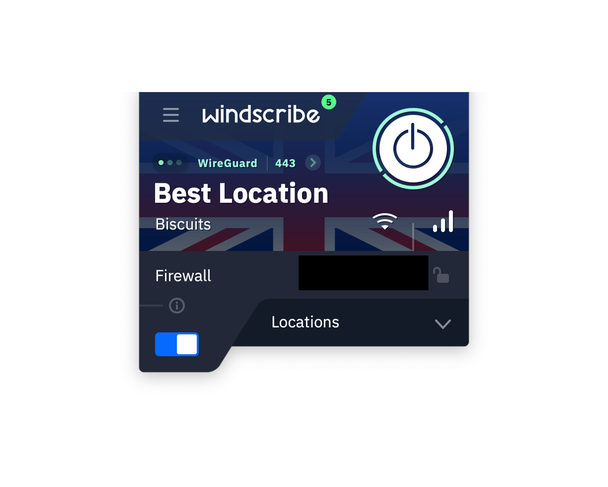
Plus, with the exception of Fake Antarctica, all of its servers are hosted on location (no cheeky virtual locations). That’s great news for the truly privacy-obsessed. With virtual servers, you don’t know which country your data is being rerouted through; the server could be physically located in China, which is unhelpful if you’re trying to avoid Chinese censorship. On top of that, physical servers are usually faster and more stable because they’re located in the country you want to access, instead of somewhere further away.
In late 2025, Windscribe announced it would be rolling out more advanced anti-censorship tools, including support for AmneziaWG, a WireGuard-based protocol designed to evade deep packet inspection in heavily restricted regions. It’s basically a feature aimed at users in countries with aggressive VPN blocking, like Iran and Russia. Amazingly, this will be available on the free tier when it’s fully rolled out.
Around the same time, Windscribe also added IP rotation and IP pinning. These let you either rotate your IP address without disconnecting or stick with the same IP to avoid constant CAPTCHA challenges – a huge quality-of-life update. It’s also brought in anti-fingerprinting protection to its Chrome and Edge browser extensions, helping to block more advanced forms of online tracking.
The free version lets you switch between multiple protocols, including IKEv2, WireGuard, and OpenVPN (TCP and UDP). However, you’re limited to servers in 10 countries: the US, Canada, France, Germany, the Netherlands, Norway, Romania, Switzerland, the UK and Hong Kong. Like PIA, you use a username to log in rather than an email address, but at least you can customise it.
Windscribe’s “R.O.B.E.R.T.” tool lets users block malware, ads, trackers, gambling sites, social networks, adult content and even “fake news and clickbait”, with customisable filters you can toggle on or off. Free users can create up to three custom rules, while Pro users can set up to 1,000. Other free features include split tunnelling support, a kill switch and a decoy mode to generate fake traffic.
Privacy remains a core part of Windscribe’s appeal. The company says it doesn’t store activity logs, although it does retain minimal operational data, such as the last time you connected and how much data you’ve used over a rolling 30-day period. Its apps are fully open-source, and in 2024 Windscribe published the results of an independent audit of its service. More importantly, its no-logs claims have been tested in court. In a high-profile case in Greece, Windscribe was unable to hand over user activity data to prosecutors because none existed, and the case was ultimately dismissed.
You can also connect an unlimited number of devices on both the free and paid plans, which is rare even among premium VPNs. The paid Pro plan gets you unlimited data and access to all server locations. It starts at roughly $5.75 (£4.19) per month if you subscribe to the annual plan, while Windscribe’s Build-a-Plan option lets you pay $1 (£0,78) per location, and you don’t get any of those nasty auto-renewal rates you’ll see at bigger VPN providers.
For casual users, the free version is one of the best I’ve tested, offering unthrottled speeds, streaming support and lots of features. The Pro version doesn’t try to out-Nord NordVPN on sheer scale, but its focus on transparency, physical servers and anti-censorship tools keeps it near the top.
7IPVanish

- Best VPN for techies
- Number of servers 3,200+
- Number of countries 113
- Number of simultaneous devices supported Unlimited
- Devices supported Windows, Mac OS, Linux, iOS, Android, Fire TV and more
- Why we love it
- Lots of advanced features
- Secure Browser is a neat add-on
- Free threat protection feature
- Fairly affordable
- Take note
- Not the fastest speeds
Another VPN for people who like to tinker, IPVanish remains one of the more technically minded services I’ve tested. It’s not quite as polished or beginner-friendly as something like ExpressVPN, but that doesn’t mean IPVanish lacks appeal. If you enjoy having lots of dials to turn when it comes to VPNs, IPVanish is a compelling choice.
IPVanish’s strength is in how much control it gives you. You can do more than choose your protocol, from WireGuard and OpenVPN to IKEv2, you’ve also got split tunnelling, port selection and Scramble mode, which disguises VPN traffic to help bypass restrictions in more sensitive networks. And unlike some rivals, IPVanish’s Threat Protection feature is included at no extra cost. It’s a service geared at those who want to see what’s going on beneath the bonnet.
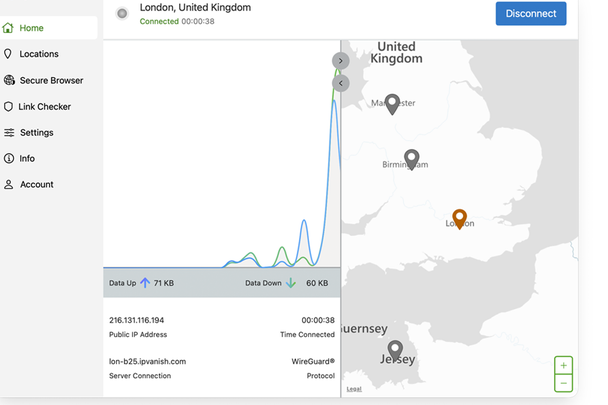
The biggest thing that IPVanish has improved on over the past year is the interface. IPVanish used to feel pretty ugly, especially on mobile, but a new redesign for its apps has made it less of an eyesore to use. Gone are all the graphs, statistics and charts, and in has come a map-based home screen and less cluttered layout that makes it feel far more modern. And while it’s still not as clean as ExpressVPN, it no longer feels like it’s stuck in the 2000s. Importantly, all the advanced settings are still there if you want them, rather than being buried or stripped back.
Server coverage has also gone up. IPVanish now has more than 3,200 servers across 112 countries, putting it much closer to the big players than it used to be. At the end of last year, it also began rolling out RAM-only servers, with hundreds already live across dozens of locations and more planned, which is a positive move for privacy.
One feature I really like is Secure Browser, which goes beyond incognito mode. While a VPN hides your traffic, websites can still track you using cookies, fingerprinting and malware. IPVanish’s Secure Browser runs your session in a sandboxed cloud environment, so none of that ever touches your device. It’s now built directly into the Windows and macOS apps, rather than being a separate add-on, though you do only get a limited number of hours per month and it’s locked behind the higher tier.
IPVanish also lets you sign up anonymously on mobile without having to provide an email address, a win for privacy-conscious. It has also added a link checker and QR code checker on its apps, letting you scan suspicious URLs or QR codes for anything malicious before opening them.
Performance is decent. In my testing, UK servers reduced download speeds by around 10 per cent, which was still fast enough for gaming and 4K streaming. IPVanish worked reliably with Netflix UK and BBC iPlayer, though results were more mixed with Amazon Prime Video. It’s not as quick as NordVPN or Surfshark over longer distances, but speeds are consistent and stable.
Like other providers, IPVanish continually hires third-party firms to conduct no-log audits of its service. In February 2025, it passed another independent no-logs audit conducted by Schellman Compliance, confirming that it did not store browsing activity, IP addresses or connection logs. It has also introduced quarterly transparency reports and improved how it handles account data after cancellation, anonymising inactive accounts rather than holding on to them indefinitely.
Interestingly, IPVanish isn’t one of the cheapest VPNs around anymore, but it’s not eye-wateringly expensive.. A one-year Essential subscription starts from about £2.92 per month and includes unlimited device connections, 3GB esim data, Threat Protection and 24/7 live chat support. There’s no free trial, but you do get a 30-day money-back guarantee. Just be mindful of renewal pricing, which can jump sharply if you don’t cancel in time. It’s a decent pick if you like tweaking settings, but if you want something easier to use with more features, there are more affordable picks on this list.
8Mullvad VPN

- Best VPN for anonymity
- Number of servers 695
- Number of server countries 49
- Number of simultaneous devices supported 5
- Devices supported Windows, MacOS, Linux, iOS ,Android, Fire TV Stick
- Why we love it
- Fantastic defences against AI-traffic analysis
- Incredible speeds
- Post-quantum encryption by default
- Take note
- Not a huge server or country list
- Small server pool
- Not great for streaming
There are two virtual private network providers I can count on when it comes to privacy – Proton VPN, of course, but also the ever-reliable Mullvad. If you want to hand over as little data as possible, Mullvad is hard to beat. Unlike most VPNs, it doesn’t ask for an email address, password or any personal details. You just generate a random and anonymous 16-digit code, then use that to log in whenever you need the VPN. Nothing is ever tied back to you.
What I like most about Mullvad is its transparent pricing structure. The price hasn’t changed since 2009, and the company still runs on a pay-as-you-go model rather than subscriptions. You buy time in credits, from one month up to a year, and can even pay in cash if you want to stay completely anonymous. Each month costs €5 (around £4.40), full stop. There are no discounts, no bundles and no nasty auto-renewal surprises.

Probably the simplest VPN out there, the app itself is clean, fast and stripped back, showing your server and connection details clearly on a single screen. It’s open-source and was independently audited again in late 2025. There’s a permanent kill switch running in the background and, during testing, I found it consistently quick to connect, even with its relatively small network of around 700 servers across just under 50 countries. Browsing felt snappy and I didn’t notice any meaningful drops in speed.
Despite the minimalist design, Mullvad still has serious privacy chops. There’s multi-hop routing, which sends traffic through two servers instead of one, split tunnelling for routing only certain apps through the VPN, and local network sharing so you can still access printers or smart devices at home. Lockdown mode goes even further than the kill switch by blocking all internet access when enabled. There’s also a built-in DNS content blocker that can filter ads, trackers, malware or adult content, and it’s all refreshingly easy to use.
Mullvad has also pushed further into cutting-edge privacy. Post-quantum encryption is enabled by default, and there’s an advanced traffic-shaping system called DAITA, designed to make online activity patterns harder to analyse or trace. It’s the extreme end of what most people will ever need, but it’s exactly why Mullvad continues to lead on privacy.
There are trade-offs, though. You’re limited to five devices per account, and it’s not a reliable choice for streaming. Netflix worked during my tests, but Prime Video, Disney+ and BBC iPlayer were inconsistent. That’s very much by design – Mullvad has never tried to be a streaming VPN. It runs a smaller, tightly controlled server network because it prioritises trust and security over convenience. If privacy, simplicity and transparency matter most, Mullvad remains one of the safest bets you can make.
9Hide.me VPN
- Best Windows VPN
- Number of servers 2,600+
- Number of server countries 57
- Number of simultaneous devices supported Up to 10
- Devices supported Windows, Mac OS, Linux, iOS, Android, Fire TV and more
- Why we love it
- Hugely configurable with lots of protocols
- Fast desktop performance
- Streaming-focused servers are clearly listed
- Take note
- Desktop apps can feel overwhelming if you’re new to VPNs
- Kill switch behaviour on Windows isn’t always flawless
- Small list of server countries
Hide.me isn’t the flashiest VPN in the world, but it’s one of the most technically capable. Based in Malaysia, it sits outside the usual US and European surveillance alliances, which will appeal if jurisdiction matters to you, and it’s clearly built with more privacy-conscious users in mind rather than casual streamers.
What really sets Hide.me apart is just how configurable it is. It offers more protocols than almost any other VPN I’ve tested, including WireGuard, OpenVPN, IKEv2, SoftEther and SSTP, alongside split tunnelling, port forwarding, MultiHop routing and full IPv6 support. On Windows in particular, it’s absolutely stacked with settings, to the point where it can feel overwhelming if you’re new to VPNs. If you like tweaking every last detail, though, it’s a playground.
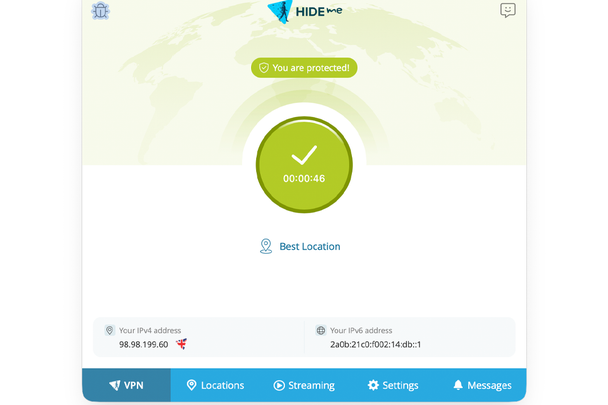
Performance is pretty good, too. Over the past year, Hide.me has upgraded large parts of its network to 10Gbps servers, and speed has definitely improved. In testing, WireGuard connections were fast and stable, with roughly a 9 per cent drop in download speeds, while OpenVPN was quicker than expected. On Windows, Hide.me’s Bolt acceleration feature made a difference, and it was a lot faster compared to the regular OpenVPN protocol.
Streaming is another area where Hide.me performs well. Rather than leaving you to guess which servers work, it has a dedicated streaming tab with locations optimised for specific platforms. I was able to access BBC iPlayer, ITVX and Disney+ during testing, although this is limited to the paid tier. The free plan doesn’t support streaming.
The apps themselves are clean and functional, but not especially pretty. Everything works as it should, but the desktop apps prioritise function over form, and the sheer volume of options can feel like a lot at first. I’ve also seen occasional kill switch quirks on Windows when hopping between servers, which privacy-first users should be aware of, even if it’s not something most people will run into regularly.
One area where Hide.me really stands out is its free plan. Unlike most free VPNs, there’s no data cap at all. Free users now get unlimited data with no ads, which is rare for a free tier. The trade-offs are restricted speeds, a single device limit and access to just seven locations, including the UK, US and parts of Europe. You also miss out on premium features such as SmartGuard ad and tracker blocking, port forwarding and Bolt acceleration, all of which are reserved for paid users.
Paid plans unlock the full network of around 2,600 servers across 91 locations and increase the device limit to 10 simultaneous connections. That sounds more than it is, given there are actually a disappointing number of countries to choose from – just 58. At the time of writing, a 26-month subscription works out as roughly £2.69 per month.
Hide.me also publishes an annual transparency report, but it doesn’t commission yearly no-logs audits in the way some rivals do. While it was one of the first VPNs to undergo an independent audit back in 2015, it didn’t release another until 2024. That audit found no evidence of user activity logging, but the long gap is still worth keeping in mind. It’s always good if VPN providers subject themselves to frequent scrutiny.
Nothing about Hide.me is especially standout, but if you want a fast, super configurable VPN with a good free tier and excellent desktop performance, it’s a superb VPN that many technically-minded users will enjoy.
Your questions on VPNs answered
What are the best VPNs in 2026?
NordVPN is the best VPN service, receiving a five-star rating in my review. It’s my go-to VPN for a reason. It nails the basics, giving lightning-fast speeds, strong security, with apps that work out of the box. Threat Protection and Double VPN are great security features, and it plays nicely with UK streaming services successfully. Its suite of cybersecurity features also gives it an edge over its rivals, who often focus purely on the VPN side of things.
If you’re after something a little cheaper, Surfshark is a great shout. It’s affordable, offers unlimited device connections (which is rare) and still does well where security is concerned. ExpressVPN, on the other hand, is a perfect VPN for anyone new to VPNs and wants a beginner-friendly interface.
Best of the rest
I’m constantly reviewing VPNs, but not all of them make the cut; CyberGhost VPN is one such case. This service starts from £1.78 per month, making it one of the most affordable VPNs I’ve tested. I loved CyberGhost’s user-friendly interface. It’s a great VPN if you’re looking for something streaming-focused, with servers specifically labelled for different streaming services, so you know which one works best, but it’s not the fastest VPN I’ve tried. It’s also quite barebones in terms of features – P2P servers and gaming servers are locked to Windows users, and it recently got rid of its password manager. Others offer more for less.
What VPNs should you avoid?
While I recommend all of the VPNs above, there are some I’d steer well clear of. Hola is the most obvious example. Unlike a traditional VPN, Hola runs like a peer-to-peer network, which means your connection can be used as someone else’s exit node. In 2015, bandwidth from Hola’s free users was sold via its sister company Bright Data and ended up being used in a malicious DDoS attack. It doesn’t support WireGuard or OpenVPN and there are no third-party audits.
SuperVPN has also been involved in multiple data breaches. In 2021 and 2023, logs and user records for hundreds of millions of users were leaked, including email addresses, IPs and browsing data. The VPN also has a no-logs policy, but leaks show that the company does indeed store logs and user data.
Betternet is also one I’d avoid: past research found tracking libraries embedded in its apps, raising concerns about how much user data was being collected for analytics and advertising purposes.
Hotspot Shield is more complicated. While still popular, a 2017 complaint to the US Federal Trade Commission accused it of making misleading privacy claims and highlighted ad injection and traffic redirection. If a service has been caught doing something dodgy once, the trust has already been damaged. In general, if a VPN is free, doesn’t explain how it handles your data and hasn’t been independently audited, it’s one to avoid.
How I test VPNs
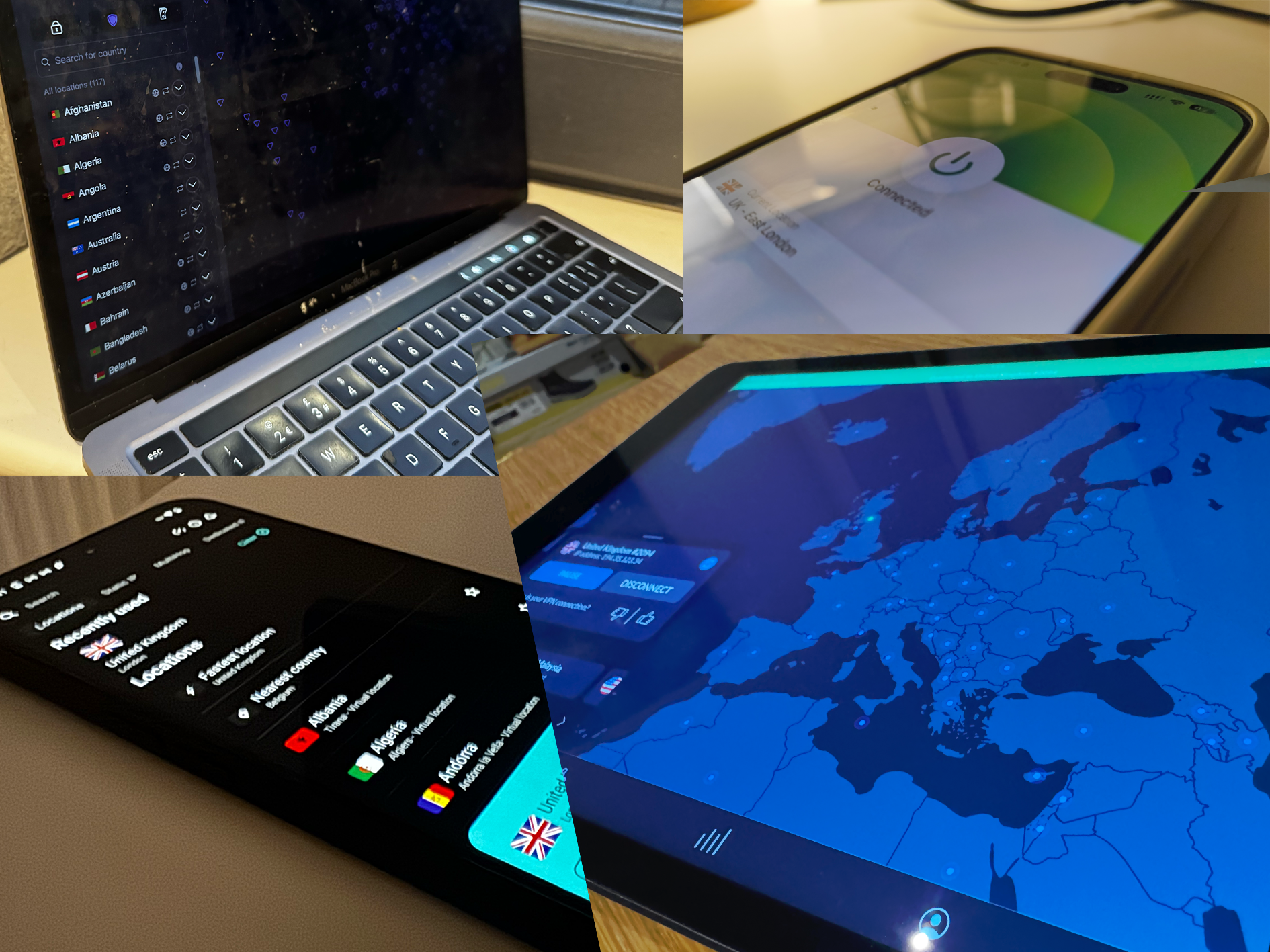
I’ve been using VPNs for nearly 10 years, and writing about them for six of those. During my time as senior tech critic, I’ve analysed just about every feature there is. When testing, I consider the following:
- Speed and stability: I compare download and upload speeds across the UK, US and long-distance servers using WireGuard and OpenVPN protocols, testing how each VPN handles streaming, downloads and general browsing.
- Security and privacy tools: I examine features like the kill switch, split tunnelling, ad-blockers and tracker protection. I also note which providers pass recent no-logs audits or open-source their apps.
- User experience: I assess how easy the apps are to use, how simple it is to connect to specific servers or use certain features, and whether the connection process is reliable.
- Streaming support: I test whether each VPN can access services like BBC iPlayer, Channel 4 and Netflix, so I can access UK content while travelling abroad.
- Pricing and renewal: I look at how clearly each provider communicated their pricing tiers, how steep the renewal hikes are, and how each VPN honours its money-back guarantee.
Why you can trust IndyBest reviews
With more than eight years of experience testing and writing about tech and cybersecurity – including VPNs – Alex Lee knows what makes a service worth your time and money. He’s personally used VPNs for everything from streaming UK shows while travelling abroad to keeping his online activity private, so he understands which features actually matter. His recommendations are based on hands-on testing, detailed research and comparisons of key essentials such as speed, security and pricing. Having also written extensively about cybersecurity, he knows all the complicated tech to look out for beyond superficial user interfaces.
Bookmark popover
Removed from bookmarks